Mandala Art Ornament: A Practical Guide to Choosing and Using Circular Lace Designs
Mandala art ornament designs have become a cornerstone of modern crafting, digital design, and decorative art. The appeal is easy to understand: a well-crafted mandala circular lace ornament offers symmetry, elegance, and versatility that works across dozens of applications. Yet many people who download or buy these digital files end up frustrated because the files don't behave as expected, the cuts are messy, or the print quality disappoints. The problem is rarely the design itself. More often, it comes down to a few correctable misunderstandings about formats, resolution, and intended use.
Whether you are a hobbyist cutting vinyl with a Cricut, a small business owner producing sublimation prints, or a woodworker using a laser cutter, knowing what to look for in a mandala art ornament file will save you time, materials, and disappointment. This guide walks through the most common pitfalls and shows you how to avoid them.
What Makes a Good Mandala Art Ornament File
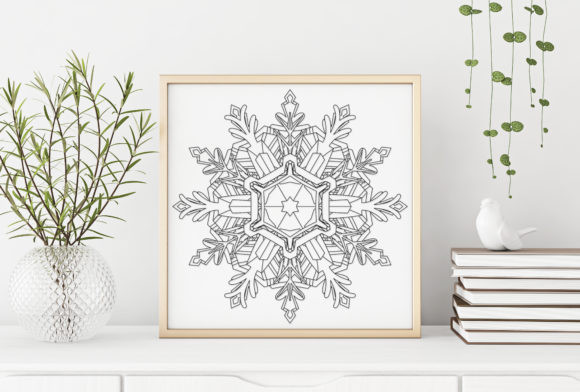
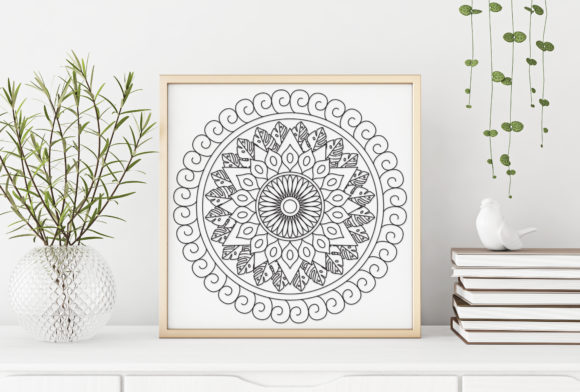
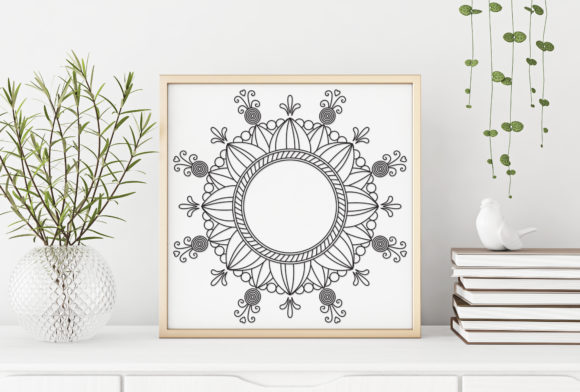
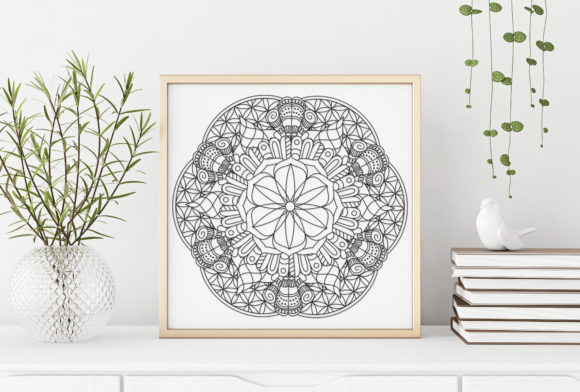
A mandala art ornament is more than just a pretty circle. At its best, it is a precisely constructed vector or high-resolution raster image that maintains its integrity across different tools and surfaces. The mandala circular lace ornament style in particular relies on fine lines, open spaces, and repeating patterns that create a lacy, airy effect. When the file quality is high, those details remain crisp whether you are cutting adhesive vinyl or printing on a mug.
Why does this matter? Because a file that looks perfect on your screen can become a disaster once you send it to a cutting machine or a printer. The difference is often in the file format, the resolution, and the way the design was built.
The Format Confusion That Hurts Most Projects
One of the most common mistakes is choosing a file format that does not match the intended tool. People see a list like SVG, DXF, EPS, PNG, and JPG and assume they are interchangeable. They are not.
Consider a crafter who downloads only a PNG file and tries to upload it into Cricut Design Space for a vinyl cut. The software may accept the file, but the result is often a pixelated outline that the machine struggles to follow. The cutter might skip fine details or produce ragged edges. The same PNG could work beautifully if the goal is sublimation printing or digital scrapbooking, where pixel-based images are the standard.
The better approach is to match the format to the workflow. SVG files are ideal for Cricut Design Space, Silhouette Studio, Adobe Illustrator, CorelDRAW, and Inkscape. They scale infinitely and contain clean vector paths. DXF files work well with Silhouette Studio without requiring the Designer Edition upgrade, and they are also suitable for CNC machines, plasma cutters, laser engravers, and water jet cutters. EPS files serve a similar purpose for professional vector software. PNG and JPG files at 300 DPI are best for printing, sublimation, and applications where a raster image is acceptable.
A practical habit: before you open the file, ask yourself what machine or software you will use. If you are cutting, choose SVG or DXF. If you are printing, choose PNG or JPG at 300 DPI. Keeping both vector and raster versions in your library gives you flexibility later.
Resolution Assumptions That Waste Time and Materials
Another overlooked detail is the assumption that all PNG or JPG files are created equal. A file labeled as 300 DPI is not automatically suitable for large-format printing or detailed work. The resolution must also match the physical size at which you intend to use the design.
Imagine printing a mandala lace ornament on an 11x14 inch canvas using a 300 DPI PNG that is only 800 pixels wide. The image will appear blurry or pixelated because the effective DPI drops as the print size increases. The same file printed at 4x4 inches would look sharp. The mistake is not in the file itself but in expecting it to perform beyond its native dimensions.
The fix is straightforward: check the pixel dimensions before you print. A 300 DPI PNG that is 3000 pixels wide will print cleanly at 10 inches. If the file is smaller, scale down your print size or choose a vector format like SVG or EPS that can be resized without loss. Many digital product listings provide both vector and high-res raster options for this reason. Use them accordingly.
Cutting Machine Compatibility Errors
Owners of cutting machines often assume that if a file opens in their software, it will cut correctly. This is not always true, especially with complex mandala designs. Mandala circular lace ornaments contain many small cutouts, thin lines, and nested shapes. If the file has not been properly prepared, the software may interpret some lines as strokes instead of cut paths, or it may leave open contours that confuse the machine.
A common scenario: a user imports a DXF file into Silhouette Studio and sees the design perfectly on screen, but when the machine cuts, it skips several interior details or cuts overlapping lines that ruin the piece. The issue is often that the original design was created as a stroke-based vector or as a compound path that the software does not fully recognize.
To avoid this, look for SVG files that are specifically labeled for Cricut Design Space or Silhouette Studio. These files are usually built with cut-ready paths. For DXF files, confirm that they are compatible with your software version. Silhouette Studio users without the Designer Edition should verify that the DXF files work in the basic edition. Some sellers clearly state this, and that clarity is a sign of a well-prepared product.
Another useful step: open the file in a free vector editor like Inkscape before importing it into your cutting software. Check for open paths and overlapping nodes. Clean them up if needed. A few minutes of preparation can prevent wasted vinyl or cardstock.
Underestimating the Design for Different Mediums
A mandala art ornament that works beautifully on paper may not transfer well to wood, fabric, or metal. The same design can behave differently depending on the material and the tool. This is especially true for laser cutting and CNC routing, where the thickness of the material and the kerf of the cutter affect the final result.
For example, a lace ornament with extremely thin lines and tiny gaps may look elegant in a digital preview. But when cut on a laser from 3mm plywood, those thin lines may burn away or break. The gaps may close up if the kerf is wider than expected. What was a delicate lace pattern becomes a solid blob or a fragile mess.
The answer is not to avoid intricate designs but to understand the limitations of your material. Many experienced makers keep a test file with various line thicknesses and gap sizes. They run a quick test cut on scrap material before committing to the final piece. This approach reveals whether the mandala design needs adjustment for your specific setup.
Also consider the application. A mandala circular lace ornament used as a tattoo design should have thicker lines and larger open spaces so the ink holds well over time. The same design printed on a shirt via sublimation can afford finer details because the dye adheres without mechanical cutting. Know your medium and adjust your file choice accordingly.
Overlooking the Importance of Organized Layers and Groups
For professionals who use vector software like Adobe Illustrator or CorelDRAW, the way a file is structured matters more than many buyers realize. A mandala art ornament file that arrives with all elements on a single layer and no naming conventions can be a headache to edit. You may need to change colors, separate parts, or scale specific rings of the mandala. Without organized layers, every adjustment takes longer.
A well-prepared digital product includes clearly named layers or groups. The outer ring might be on one layer, the inner petals on another, and the center details on a third. This structure allows you to customize the design without redrawing anything. When evaluating a digital product, look for descriptions that mention organized layers or easy editing. That attention to detail on the seller's part usually correlates with overall file quality.
Practical Advice for Choosing a Mandala Art Ornament Digital Product
Before you make a purchase or download a free file, ask a few questions to save yourself time and frustration. First, what file formats are included? The ideal set includes SVG, DXF, EPS, PNG, and JPG. Each serves a different purpose, and having them all gives you flexibility for future projects.
Second, what software or machines was the file tested on? A file that is explicitly tested in Cricut Design Space and Silhouette Studio is more likely to work reliably than one that is simply converted without verification. Third, is the PNG at 300 DPI and large enough for your intended print size? If the pixel dimensions are not listed, request them before buying.
Finally, look at the design itself. Does it have a good balance of open and closed spaces? Designs that are too dense or too sparse may not translate well to cutting or printing. A versatile mandala circular lace ornament has a mix of fine and medium lines, with enough open area to allow the material or background to show through.
Getting the Most from Your Mandala Files
Once you have a well-prepared file, a few good habits will extend its usefulness. Keep a master folder with both the original files and any edited versions. Label them clearly with the format, intended use, and any adjustments you made. If you adjust a design for laser cutting, save that version separately. Next time you need a similar cut, you will not have to redo the work.
Experiment with scaling. A mandala art ornament that works as a 12-inch wall art piece can also be shrunk to fit a journal cover or a phone case. Because vector files scale without quality loss, you can use the same design across multiple products. This is especially valuable for small business owners who want a consistent aesthetic across their merchandise.
Do not overlook the simpler applications. Many people reserve mandala files for complex laser projects or large sublimation prints. But a well-crafted mandala also makes an excellent coloring page for adults, a stencil for furniture, a background element for invitations, or a decorative border for book covers. The same file can serve many purposes if you keep an open mind about how to use it.
Final Thoughts on Choosing and Using Mandala Art Ornaments
The difference between a frustrating experience and a smooth, satisfying project often comes down to a few details you can control. Choose files that match your tools. Verify resolution for printing. Test cuts on scrap material. Look for organized layers and verified compatibility. These steps take little time but eliminate most of the common problems that turn a promising design into wasted effort.
A high-quality mandala art ornament or mandala circular lace ornament file is an investment in your creativity. When you select it carefully and use it with the right technique, it works across wood, vinyl, paper, fabric, and digital media. Whether you are making a gift, building a product line, or decorating your own space, the right file makes the process smoother and the result more satisfying.